
If you’re a photographer or a designer, you already know how much time and effort go into creating a perfect photo album. The good news is, with the right album design software, things get a whole lot easier. Many professionals use tools like Album Designs Software and creative Wedding Album Design PSD templates to speed up their work while keeping the quality top-notch.
Most of the tools I’m going to share below are designed to work smoothly with Adobe Photoshop. This connection makes editing more flexible and allows you to use templates in different ways. For example, adding ready-made sheets, such as 12×36 Album PSD Templates, can save you hours of manual adjustments.
And if you want to take your designs even further, don’t forget to check out creative Wedding Backgrounds. Mixing backgrounds with professional design software gives your albums a modern and stylish look that clients will definitely love.
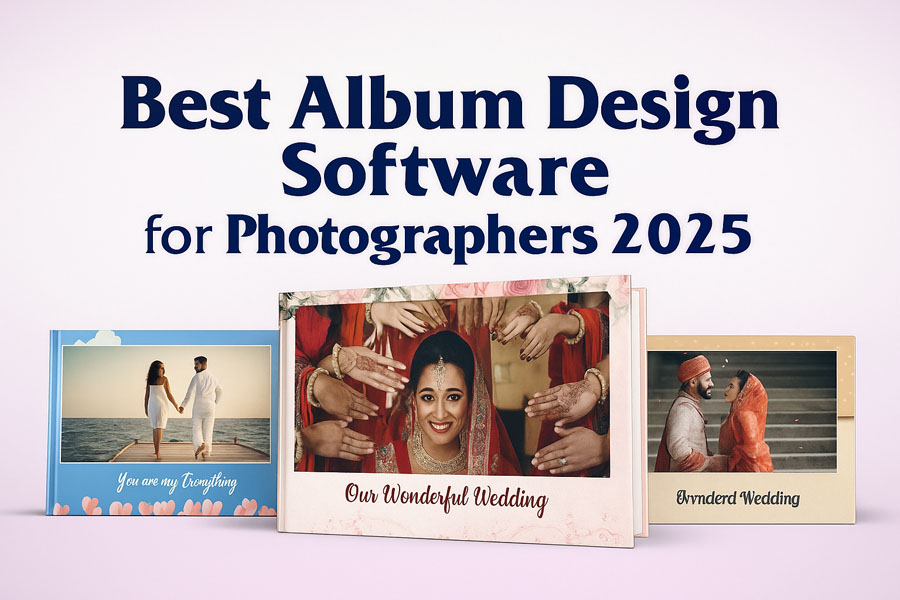
Best Album Design Software for Stunning Photo Albums
When it comes to photo editing and album creation, having the right tools makes all the difference. Whether you are creating a wedding album, a pre-wedding photoshoot, or a portrait collection, these software options will help you achieve professional results in less time. For quick and stylish designs, you can also explore our Creative Album Design PSD Collection, which works perfectly with most of the software listed below.
1. One Click AI Album 2025 – Best Wedding Album Software
If you’ve ever wished for a faster and smarter way to create beautiful wedding or family albums, then One Click AI Album 2025 is exactly what you need. This modern photo album design software combines intelligent automation with full creative control, giving you the best of both worlds. Whether you’re a professional photographer designing premium wedding albums or someone who simply wants to organize personal memories, this tool makes the entire process simple, quick, and stress-free. Its auto-design feature saves hours of manual work by arranging photos into elegant layouts with perfect balance, clean compositions, and eye-catching style.

The beauty of One Click AI Album is in its flexibility. You can let the software auto-create an album within seconds, or switch to manual editing if you want a more personalized touch. For those who love using their own PSD templates, the software provides comprehensive support, enabling you to create unique designs that reflect your style. From cropping and tilting images for perfect framing to managing hundreds of photos at once, everything feels smooth and effortless. Whether you’re working on a wedding album, a creative portfolio, or a simple family photo collection, this wedding album software ensures professional results without the steep learning curve.
Key Features of One Click AI Album 2025
- AI Auto-Design: Automatically arranges photos into professional-quality layouts.
- Time-Saving Workflow: Smart photo arrangement and editing streamline the process.
- PSD File Support: Import and use your own PSD templates for unique, creative albums.
- Easy Photo Adjustments: Tilt, crop, and frame images perfectly in just one step.
- Bulk Photo Management: Organize and edit multiple photos simultaneously.
- Flexible Editing Modes: Choose between automatic design or manual customization.
- Professional Finish: Ensures balanced compositions, perfect color tones, and stunning layouts.
2. Julie Liberty Fastest Auto Album Making Software
If you’re a professional photo editor or album designer, you know how much time goes into perfecting layouts, retouching faces, and fixing colors. That’s where Julie Liberty Fastest Auto Album Making Software comes in. It’s built to save countless hours of editing while still giving you the freedom to create albums that look polished and professional. With smart automation and seamless Photoshop support, this software is a reliable companion for anyone in the photo industry.

One of its biggest advantages is the ready-to-use collection of designs. With over 12 lakh PSD templates included for free, you’ll never run out of creative options for wedding albums, portraits, or event photography. On top of that, features like automatic horizontal and vertical layer adjustment, background replacement, and one-click face retouching make it an all-in-one solution for fast, professional-quality results.
Key Features of Julie Liberty Software
- 12+ Lakh Free PSD Designs – A massive collection of pre-made album templates.
- Auto Horizontal & Vertical Layer Adjustment – Automatically detects photo orientation and aligns layers perfectly.
- Auto Hair Cutting – Replace single-color backgrounds in seconds with accurate hair selection.
- Auto Face Retouching & Color Correction – Save hours of editing by retouching thousands of photos with one click.
- Works with Photoshop – Fully compatible with popular Photoshop versions, from CS2 to CS6.
3. Album Xpress PRO 13.5 – Professional Album Design Software
Album Xpress PRO 13.5 is one of the most reliable and powerful album design software for photographers and studios who want to create professional-quality wedding albums and photo album designs. With its simple interface and advanced tools, the software makes it easy to organize photos, sort them into folders, and create stunning layouts without wasting time. It includes smart design modes, handcrafted templates, and customizable page layouts that save hours of work while still giving designers the freedom to add personal creativity. Whether you want to design a wedding album, portrait collection, or digital storybook, Album Xpress PRO 13.5 provides everything from automatic layouts to detailed photo editing options such as color correction, cropping, brightness, contrast, and artistic effects. The seamless integration with Photoshop and compatibility with plugins ensure you have complete control over the editing process.

What makes Album Xpress PRO 13.5 stand out from other album design software is its perfect balance between automation and creativity. Photographers can share watermarked, low-resolution images with clients for selection, making the album approval process faster and more professional. The software also supports print-ready formats used by leading photo labs, which means your designs are always accurate and ready for production. From customizing album sizes, covers, and jackets to using backgrounds, cliparts, and masks, everything can be adjusted as per client’s needs. This flexibility makes Album Xpress PRO 13.5 an excellent choice for anyone looking to speed up the workflow while maintaining high design standards. For professional photographers who want to deliver stylish wedding album designs in less time, this software is a complete solution.
Key Features of Album Xpress PRO 13.5:
- Smart album design modes with auto and manual options
- Handcrafted templates and customizable layouts
- Advanced photo editing tools (color correction, filters, cropping, retouching)
- Seamless integration with Adobe Photoshop and plugins
- Easy client photo selection with watermark sharing
- Supports print-ready formats for leading labs
- Album size, cover, and jacket customization options
4. AlbumPoint 6.75 – Fastest Album Designing Software
AlbumPoint 6.75 is a professional wedding album designing software built for photographers who want to create stunning albums in less time without compromising on creativity. The software is fully integrated with Adobe Photoshop, working like a powerful toolbar that speeds up your entire workflow. With thousands of ready-to-use templates, automatic album filling, and smart resizing tools, AlbumPoint allows you to design digital albums in just a few minutes. Whether you’re creating traditional wedding albums, modern photo books, or custom layouts, the software provides complete flexibility and creative control. Its user-friendly interface makes it easy for photographers of all levels to create professional-quality designs, while still maintaining full access to Photoshop effects, filters, and adjustments.

What makes AlbumPoint 6.75 stand out is its ability to deliver maximum productivity with minimal effort. A complete wedding album that usually takes hours to design can now be finished in less than an hour. The software supports PSD, JPG, and TIF formats, and gives you full control over resizing, rotating, and repositioning images without losing quality. You can easily add masks, backgrounds, clipart, and even your own designs to expand the creative possibilities. With automatic template selection and thumbnail previews, following the story flow of your album becomes smooth and intuitive. AlbumPoint not only saves time but also ensures a faster return on investment by allowing photographers to complete more projects in less time while offering premium-quality albums to their clients.
Key Features of AlbumPoint 6.75
- Fully integrated with the Adobe Photoshop toolbar
- Over 3000 ready-to-use templates
- Automatic template selection and smart album filling
- Resize, rotate, and reposition images without quality loss
- Masking, backgrounds, clipart, and custom styles support
- PSD fixed files converted for auto-designing
- Preassign templates to selected photos
- Output in PSD, JPG, and TIF formats
- Thumbnail previews for album story flow
- Simple, fast, and beginner-friendly interface
5. Album Quicker PRO – The Best Album Designing Software
When it comes to professional wedding album design, Album Quicker PRO has made a name for itself as one of the most reliable and fastest tools available. This powerful photo album design software allows photographers and designers to create stunning albums with speed and precision. The software supports all market PSD templates, which means you can work with any pre-designed layouts without compatibility issues. Whether you’re designing wedding albums, pre-wedding shoots, or other creative photo books, Album Quicker PRO gives you the flexibility and control you need. Its intuitive interface, combined with one-click features, ensures that you can save time on repetitive tasks while still producing high-quality results.

What makes Album Quicker PRO V6.8 stand out is the wide range of one-click functions that simplify the entire designing process. From auto photo replacement and smart mask adjustments to quick effects like light leaks, bokeh, or sparkler overlays, everything is just a button away. It even allows you to swap photos, apply backgrounds, or change skies with a single click. These advanced automation tools make it possible to retouch and finalize a full album in a fraction of the time compared to manual editing. The batch processing option is a game changer, letting you apply corrections and effects across multiple photos at once. For photographers who deal with hundreds of images, this is a huge time-saver. With Album Quicker PRO, your workflow becomes smoother, faster, and more professional, making it an ideal choice for both beginners and experienced album designers.
Key Features of Album Quicker PRO
- Works with all available PSD templates
- One-click quick fill and photo replacement
- Smart mask adjustment without deleting old masks
- Split merged layers into multiple layers for easy editing
- Swap, flip, and clean photos in one click
- Apply light leaks, bokeh, and sparkler FX instantly
- One-click quotes, PNG cliparts, and backgrounds
- Sky replacement option with re-edit feature
- Multiple effects panel (Oil Paint, Gold Highlight, etc.)
- Save projects in PSD or JPG formats
- Powerful batch processing for bulk corrections
6. Album DS – Professional Album Design Software
Album DS is one of the most powerful and complete album design software solutions for photographers who want speed, flexibility, and professional results. With the new Album DS version 11.8, users get access to over 200 new backgrounds, clipart, masks, and an exclusive set of 500 premium templates crafted by My Designer Studio. Whether you’re creating a wedding album, coffee table book, magazine-style layout, or flush mount design, Album DS makes the process fast and effortless. The software is fully integrated with Adobe Photoshop, working as a Photoshop toolbar, which means you can enjoy all the creative freedom of Photoshop with the smart automation of Album DS. This saves you hours of manual work while helping you deliver high-quality wedding album designs to your clients.

What makes Album DS truly stand out is that it goes beyond just offering templates. It gives you the ability to automatically resize, rotate, and reposition images without losing quality, pre-assign templates to selected photos, and even auto-fill complete albums in just seconds. For wedding photographers, this means less time spent designing and more time growing your business. The included templates and design assets are crafted to match modern trends, ensuring every album looks stylish, polished, and professional. With PSD, JPG, and TIF output options, Album DS provides complete flexibility for both print and digital sharing. It’s the perfect choice for professionals who want to impress their clients with beautifully designed albums while saving valuable time.
Key Features of Album DS 11.8
- Fully integrated with Adobe Photoshop – works as a Photoshop toolbar
- Over 500 premium templates designed by My Designer Studio
- 200+ new backgrounds, masks, and clipart
- Smart automatic album filling with selected pictures
- Resize templates to any album size with trimming guides
- Save designs as reusable PSD templates
- Add and manage your own designs in the library
- Automatic resizing, rotation, and repositioning without quality loss
- Integrated picture editing, masking, and layout tools
- Export designs in PSD, JPG, or TIF formats
- Spread designer and album story preview with thumbnails
7. Easy Digital Album – Fast & Professional Album Designing Software
If you’re searching for a powerful yet simple album design software, Easy Digital Album (EDA) is the perfect solution. Loved by photographers worldwide, EDA makes it incredibly easy to create professional wedding albums, invitations, DVD covers, and coffee table books. With thousands of ready-made templates and a clean interface, you can design stunning layouts in minutes. What sets EDA apart is its Smart Image Management system, which protects your original photos while allowing endless editing and transformations. Need to change an album’s aspect ratio, duplicate a project, or design smaller parent albums? EDA does it all in just a few clicks, saving you hours of manual work.

Beyond speed, Easy Digital Album gives you complete control over creativity. You can align images with precision, apply overlays, masks, or shadows, and even copy-paste design properties across multiple layouts. The magnifier tool helps you check image sharpness before exporting, ensuring top-quality prints. For those who want flexibility, EDA supports custom templates, color profiles (sRGB, Adobe RGB, ProPhoto), and multi-language options. Whether you’re designing a modern wedding album, a stylish invitation card, or a family coffee table book, this software provides all the tools to turn your vision into reality—quickly and professionally.
Key Features of Easy Digital Album
- Smart Image Management keeps originals safe
- Quick album aspect ratio conversion
- Duplicate projects to create parent albums
- Organize with ratings, labels, and filters
- Copy-paste properties like shadows and overlays
- Auto layout and custom template options
- Magnifier tool to check sharpness before printing
- Supports sRGB, Adobe RGB, and ProPhoto color profiles
- Multi-language interface (English, German, Greek, Portuguese, French)
- Creative tools: masks, overlays, text, and shadows
8. Album TD – Professional Album Design Software
Designing photo albums can be time-consuming, but Album TD makes the process simple, creative, and stress-free. This professional album design software is specially built for photographers who want speed without compromising quality. With just a few clicks, you can drag and drop your images, and Album TD will instantly generate beautiful layouts. You can choose from a variety of modern templates, preview designs in real time, and adjust them with complete freedom. Whether you’re working on a wedding album, portrait album, or any event photography project, the software ensures your spreads look professional and well-balanced. The magnetic alignment feature keeps your images perfectly arranged, while the layout preview shows you exactly how your final album will appear, including margins, gaps, and backgrounds.

Album TD is more than just fast—it’s also flexible. You can swap, resize, or rotate photos effortlessly, and even design all album spreads at once using the grid view. For those who prefer advanced editing, the software exports full-layered PSD files, keeping images as smart objects for detailed retouching in Photoshop. It also supports popular formats like JPG, TIF, and PDF for smooth printing and sharing. Since it works on both Windows and Mac without needing Photoshop, Album TD is a reliable tool for busy photographers. From weddings to birthdays and special events, Album TD helps you create elegant, professional albums that clients will cherish. If you’re looking for the best value in album design software, this is a powerful solution that saves time while delivering stunning results.
Key Features of Album TD
- Drag and drop image placement
- Instant layout creation with true preview
- Magnetic alignment for perfect spacing
- Design all spreads at once in grid view
- Export to layered PSD, JPG, TIF, or PDF
- Full color management support
- Works on Windows and Mac without Photoshop
- Built-in backgrounds, masks, and cliparts
- Easy editing with hue, saturation, contrast, and more
Note:
If you’re facing issues with downloading the file such as "it may take up to 24 hours to be able to view or download the file" So please ensure you are logged into your Google account before attempting to download. This usually resolves the issue and allows you to download the file without any waiting time.
















