Add an artistic, magazine-style flow to your portraits and editorials with this 100 Flying Fabric Photoshop Overlays PNG Free Download. This high-resolution pack gives photographers and designers instant motion and textile texture without a studio rig — perfect for wedding shoots, fashion editorials, and creative composites. For more overlay options and matching effects, visit our Photoshop overlays collection.
Each file in the pack is a transparent PNG that drops straight into any layer-based editor, so you can start compositing right away. These flying fabric PNGs are ideal for adding soft chiffon motion, dramatic folds, or subtle wind effects to portraits and product shots. If you need extra matching elements or clear PNG assets to build cohesive scenes, check our transparent PNG resources. Pro tip: try a semi-transparent overlay behind the subject for natural depth, or use the Screen blend mode with a slight motion blur to mimic wind.
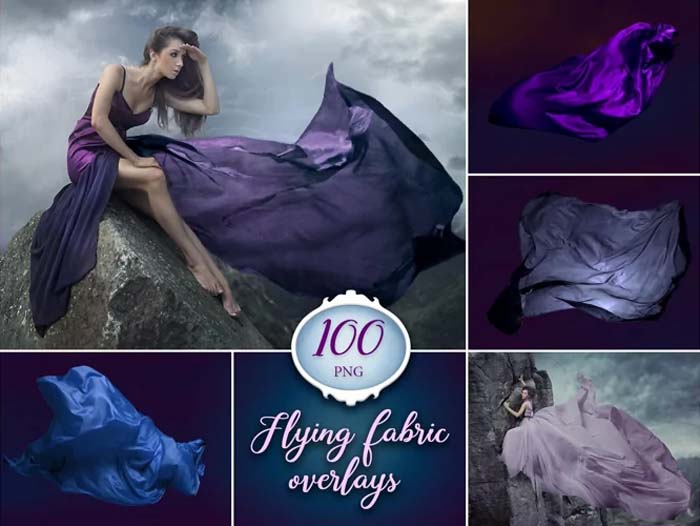
About 100 Flying Fabric Overlays PNG
These flying fabric overlays are created for easy photo compositing and realistic textile motion. The pack includes a wide variety of shapes and folds so you can mix chiffon overlays, silk swirls, and draped cloth to match different poses and light directions. Try the overlays with soft backlight for a cinematic rim glow or place them in front of the subject for depth. If you prefer colored sets, we also offer themed variations like the blue flying fabric overlays that work great with beach and outdoor shoots.
Each PNG has a transparent background and high resolution, so you can scale and position without losing detail. Use layer masks and blend modes (Screen or Lighten) to integrate fabric naturally, and add slight motion blur or color grading to match your photo’s mood. These overlays are versatile for editorial, bridal, and social media work — they speed up your workflow while keeping results highly realistic. You can also download 44 Black Fabric PNG Photo Overlays Pack.
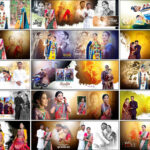
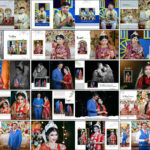
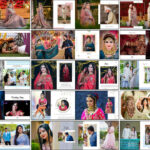
Preview of Flying Fabric Overlays
Below are sample previews showing how these overlays add flow, depth, and cinematic movement to your images. Try different overlays to see how fabric direction and opacity change the photo’s energy and focus.

How to Use Flying Fabric Overlays for Realistic Photo Edits
Flying fabric overlays are ready-made cloth effects saved in transparent PNG format. You can easily place them over your photos in Photoshop to create flowing scarves, dramatic drapes, or wind-blown fabric effects without setting up a studio. Each overlay keeps the natural fabric details like soft threads, fine edges, and light reflections so they blend perfectly with portraits and high-quality prints up to 300 DPI.
For best results, choose an overlay that follows your subject’s pose and direction of movement. Use Photoshop’s Transform (Ctrl+T) tool to rotate, resize, or slightly warp the fabric until it fits naturally. Apply Layer Masks to hide the extra parts near the face or hands to make the cloth appear as if it’s wrapping around the model. To match color tones, simply add a Hue/Saturation or Selective Color adjustment layer. You can also explore 161 Pink Flying Fabric Photoshop Overlay.
These overlays work beautifully with soft lighting and creative backgrounds, adding natural motion and depth to your photos. The pack includes a wide range of variations from silk sheets to narrow ribbons, giving you endless creative options. Whether you are editing bridal portraits, fashion shots, or cinematic images, these flying fabric overlays will help you create professional-quality results quickly and easily.
What’s Included
- 100 PNG files with transparent backgrounds
- Size: 5760 × 3840 pixels (high resolution)
- 300 DPI — print quality
- No watermark on final images
- Works in Photoshop, Photoshop Elements, GIMP, and other layer-based editors
Features & Benefits
- Professional motion and textile effects for portraits and fashion shoots
- High-resolution overlays that preserve detail when scaled or printed
- Easy to blend using layer modes, masks, and subtle blur
- Perfect for editorial, bridal, commercial, and social media projects
- Save time and avoid complex in-studio fabric setups
How to Use Flying Fabric PNG Overlays
- Open your image in Photoshop or any editor that supports layers.
- Import a flying fabric PNG and place it above the subject layer.
- Set blending mode to Screen or Lighten and mask unwanted areas.
- Use transform tools to resize, flip, or rotate the fabric to match the motion.
- Apply gentle color correction, motion blur, or clipping masks to integrate the fabric naturally.
Compatibility
These overlays work with Photoshop, Photoshop Elements, GIMP, Affinity Photo, and most editors that accept PNG layers. They are ideal for both web and print projects thanks to the 300 DPI resolution.
Conclusion
This 100 Flying Fabric Photoshop Overlays PNG pack gives you a quick, creative way to add elegant motion to portraits and editorial photos. Download the pack and experiment with different fabric overlays and blending modes to achieve cinematic, magazine-ready results. Explore related overlay packs on the site to expand your toolkit and create consistent, professional composites.
Zip File Password: www.Luckystudio4u.com
Note:
If you’re facing issues with downloading the file such as "it may take up to 24 hours to be able to view or download the file" So please ensure you are logged into your Google account before attempting to download. This usually resolves the issue and allows you to download the file without any waiting time.