Adobe Photoshop 2027 is the latest desktop release of Adobe’s popular photo editing and graphic design software. Version 28.0 brings new creative tools, improved AI-assisted editing, better lighting controls, and performance updates for large design files. Whether you are a photographer, graphic designer, or digital content creator, Photoshop offers useful features for both simple photo corrections and complex design projects. You can also explore other creative software for photographers and designers to find tools that support your daily workflow. In this guide, you will learn about Photoshop 2027 features, Windows system requirements, installation steps, and the official 7-day free trial.
What Is Adobe Photoshop 2027 v28.0?
Adobe Photoshop is a professional image editing application developed by Adobe. It is widely used for photo retouching, background removal, image manipulation, digital painting, poster design, and other creative work.
Adobe Photoshop 2027, version 28.0, continues to improve these editing capabilities with new tools and workflow enhancements. Users can work with layers, masks, smart objects, adjustment layers, selection tools, filters, brushes, and typography controls to create detailed designs.
The software is suitable for different types of creative projects. Photographers can enhance portraits and wedding pictures, while graphic designers can create banners, thumbnails, advertisements, social media graphics, and professional photo compositions.
What’s New in Adobe Photoshop 2027? Key Features of Version 28.0
Photoshop 2027 includes several useful updates for creative professionals. The latest version focuses on improved lighting, easier image comparison, more control over generated edits, and better object removal. Here are some of the notable changes in version 28.0.
1. Relight – Add and Adjust Lighting in Photos
Relight is one of the notable additions in Photoshop 2027. It allows users to add up to three light sources directly to an image and adjust their position, colour, intensity, and diffusion.
This feature is useful when a photograph needs a different lighting effect or a more balanced appearance. For example, photographers can experiment with portrait lighting, improve the mood of an image, or add creative lighting effects without taking the original photograph again.
2. Quick Compare – Check Before and After Edits
Quick Compare makes it easier to review changes while editing an image. It allows users to compare their current work with the original image through split-screen or single-view options.
Photographers can use it to check skin retouching, colour correction, brightness adjustments, and other editing changes. It saves time when reviewing images because there is no need to repeatedly switch between different versions of a document.
3. Generative Restyle – Fine-Tune AI Editing Results
Generative Restyle provides more control over AI-generated image edits. Users can convert a Prompt-to-Edit result into an editable Generative Restyle layer and adjust the effect using custom sliders.
This gives designers more flexibility when experimenting with different visual styles, colours, and creative effects. Instead of simply accepting the generated result, they can fine-tune the appearance to better match their project.
4. Improved Remove Tool
The updated Remove tool can detect unwanted objects and related visual elements in an image. It can help remove objects along with surrounding effects such as shadows, reflections, and ripples.
This improvement is useful for cleaning product photographs, removing distracting elements from portraits, and preparing images for professional editing. It can reduce the amount of manual correction needed for many common editing tasks.
5. Better Performance for Large PSD and PSB Files
Photoshop 2027 also brings improvements to the way large PSD and PSB documents are opened and saved. Adobe has updated file-reading and writing processes to improve performance when working with large design files.
This can be helpful for designers who regularly work with high-resolution photographs, multiple layers, smart objects, masks, and detailed compositions. It is particularly useful when handling complex projects that contain many editing elements.
6. Improved Text Editing and Formatting
Version 28.0 also includes updates to text formatting. Users can copy character styles from one text area and apply them to another, including settings such as font, size, bold, underline, and OpenType features.
These improvements can make it easier to maintain consistent typography across posters, banners, advertisements, and other graphic design projects.
Adobe Photoshop 2027 System Requirements for Windows
Before downloading Photoshop 2027, check whether your computer meets the required hardware and software specifications. Photoshop needs a compatible processor, enough RAM, supported graphics hardware, and available storage space.
The following table covers Adobe’s published Windows requirements for Photoshop version 28.x.
| Component | Minimum Requirement | Recommended |
|---|---|---|
| Processor | Multicore Intel, AMD, or WinARM processor | Compatible modern processor |
| Operating System | Windows 10 version 21H2 or later | Windows 10 version 22H2 or Windows 11 versions 24H2, 25H2, or 26H1 |
| RAM | 8 GB | 16 GB or more |
| Processor Support | AVX2 and SSE 4.2 for Intel and AMD platforms | Compatible processor with required instruction support |
| Graphics | Qualified hardware-accelerated OpenGL graphics card | Compatible updated graphics hardware |
| Video Memory | 1512 MB | 2 GB |
| Display Resolution | 1280 x 720 at 100% scaling, or 1920 x 1080 at 150% scaling | 1280 x 800 |
| Storage | 10 GB available disk space | Additional free space for project files |
| Internet | Broadband internet connection | Stable internet connection |
Note: The processor, graphics, and operating system requirements can vary by hardware platform. Intel and AMD processors need AVX2 and SSE 4.2 support. An internet connection is also required for software activation, membership validation, and online services.
If you regularly edit high-resolution photographs or work with large Photoshop documents, 16 GB RAM or more is a practical choice. You should also keep your graphics drivers updated for a smoother experience.
For complete technical details, visit the official Photoshop system requirements page.
How to Download and Install Adobe Photoshop 2027 on Windows
Adobe offers Photoshop through its Creative Cloud platform. New eligible customers can start with a 7-day free trial to explore the desktop application before choosing a paid subscription.
Follow these steps to download and install Photoshop on your Windows PC:
- Visit the official Adobe Photoshop free trial page.
- Click the Start Free Trial option to view the available plans.
- Choose the Photoshop plan that suits your requirements.
- Sign in with your existing Adobe account or create a new account.
- Review the trial period, subscription price, and payment conditions before completing the sign-up.
- Download and install the Adobe Creative Cloud desktop application when prompted.
- Open Creative Cloud and find Photoshop in the available applications.
- Click Install and allow the application to download and install.
- After installation, launch Photoshop and sign in with your Adobe account.
Once the setup is complete, you can create a new document, open existing photographs, edit PSD templates, and explore the available tools. Keep Creative Cloud updated to receive the latest application updates.
Is Adobe Photoshop 2027 Free to Download and Use?
Adobe Photoshop is commercial software, so the full desktop application is not permanently free. However, Adobe provides a 7-day free trial for eligible new customers who want to test the software before purchasing a subscription.
The trial provides access to the full Photoshop application and its available features during the trial period. You can use this time to test photo editing tools, AI features, layers, filters, and other professional design options.
There is one important detail to understand before signing up. The 7-day trial automatically converts into a paid Creative Cloud membership after the trial period ends unless you cancel it. Adobe also displays its refund conditions during checkout, so review those details before entering your payment information.
If you only want to test Photoshop temporarily, check your Adobe account and manage your subscription before the trial ends. This helps you avoid an unexpected subscription charge.
What Can You Create with Photoshop 2027?
Photoshop is used for much more than basic photo editing. Its combination of layers, masks, selection tools, brushes, and image adjustment options makes it suitable for a wide range of creative projects.
Wedding and Portrait Photo Editing
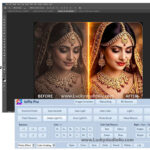
Photographers can use Photoshop to retouch wedding portraits, improve skin tones, correct colours, adjust lighting, remove unwanted objects, and prepare high-quality images for printing. Its layer-based editing workflow also allows users to make detailed changes without permanently modifying the original photograph.
Wedding Album Page Design
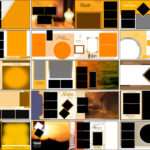
Photoshop is a popular choice for creating wedding album layouts and editing layered album PSD files. Designers can arrange multiple photographs, add decorative elements, adjust backgrounds, and customize page compositions according to their clients’ requirements. Those who also use dedicated wedding album design software can explore additional tools for organizing and preparing album projects.
Posters, Banners, and Graphic Design
Graphic designers can create promotional posters, business advertisements, web graphics, YouTube thumbnails, and social media artwork. They can also save time by customizing ready-made editable graphic design templates instead of building every design from the beginning.
Background Removal and Photo Manipulation
Photoshop provides selection and masking tools for separating subjects from backgrounds. Designers can replace backgrounds, combine different photographs, create creative compositions, and apply special effects to produce unique images.
Common Photoshop 2027 Installation and Performance Problems
Even when your computer meets the system requirements, you may sometimes face installation or performance issues. Here are a few basic checks that can help.
Photoshop Installation Is Stuck
Check your internet connection, restart your computer, and reopen Adobe Creative Cloud. Make sure that your Windows system is updated and that your security software is not blocking the official installer.
Not Enough Disk Space
Photoshop requires at least 10 GB of available storage space. Free up additional space if your system drive is nearly full. Large image files and temporary editing data may also need extra storage.
Photoshop Is Running Slowly
Close unnecessary applications, update your graphics drivers, and avoid opening too many large documents at once. Having more RAM can also improve performance when working with high-resolution images and complex PSD files.
Compatibility or Graphics Errors
Check that your processor supports the required instruction sets and that your graphics hardware is compatible. Installing updated graphics drivers may also help resolve certain display and performance problems.
Frequently Asked Questions About Adobe Photoshop 2027
What is the latest version of Adobe Photoshop 2027?
Adobe released Photoshop version 28.0 in November 2026 as its 2027 desktop release. Check Adobe’s official release notes for information about subsequent updates.
Can I install Photoshop 2027 on Windows 10?
Yes. Adobe lists Windows 10 version 21H2 or later as the minimum operating system requirement for Photoshop 28.x. Your processor and other hardware must also meet the required specifications.
How much RAM is required for Photoshop 2027?
Photoshop 28.x requires at least 8 GB RAM. Adobe recommends 16 GB or more for a better working experience, particularly when handling large images and complex documents.
How long does the Photoshop 2027 free trial last?
Adobe’s official Photoshop desktop trial lasts for seven days. It converts into a paid membership after the trial ends unless you cancel it. Review the cancellation and refund conditions before signing up.
Does Photoshop 2027 support PSD files?
Yes. Photoshop supports its native PSD format, which can store layers, masks, text, and other editable design elements. Some documents may also require their original fonts, plugins, or linked assets.
Do I need an Adobe account to use Photoshop 2027?
Yes. You need an Adobe account to access the official trial, sign in through Creative Cloud, and activate the desktop application.
Should You Try Adobe Photoshop 2027?
Adobe Photoshop 2027 v28.0 brings useful improvements for photographers, graphic designers, and digital creators. Features such as Relight, Quick Compare, Generative Restyle, and the improved Remove tool provide more flexibility when editing photographs and creating professional graphics.
The performance improvements for large PSD and PSB documents are also helpful for designers who regularly work with detailed compositions. Before installing the software, check your Windows compatibility, available storage, RAM, and graphics hardware.
The official 7-day free trial gives eligible users an opportunity to explore Photoshop before choosing a paid plan. Visit Adobe’s official website for the installer and review the subscription terms before starting the trial.
Note:
If you’re facing issues with downloading the file such as "it may take up to 24 hours to be able to view or download the file" So please ensure you are logged into your Google account before attempting to download. This usually resolves the issue and allows you to download the file without any waiting time.