Transform your favorite memories into stunning photo frame collages that bring personality, creativity, and warmth to your living space. Whether you want to showcase family moments, travel adventures, wedding photographs, or special celebrations, a well-designed collage can turn ordinary pictures into meaningful wall art. A beautiful photo collage in a picture frame not only preserves your memories but also enhances your home decor with a personal touch.
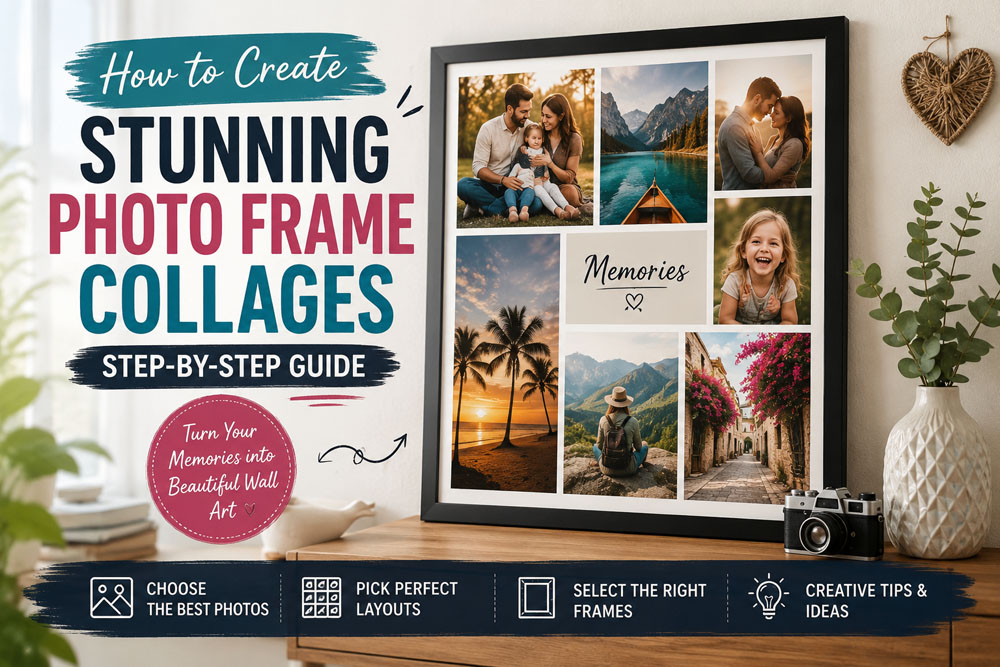
If you are new to collage design, you can start by exploring photo collage templates that provide ready-made layouts and inspiration. Thanks to modern design tools and resources, creating a collage has never been easier. This complete guide will help you choose the right frame, select the best photos, plan attractive layouts, and create a display that tells your story beautifully.
Benefits of Creating Photo Frame Collages
Creating photo frame collages offers both emotional and decorative benefits. One of the biggest advantages is the ability to preserve and display your most treasured memories in a visually appealing format. Instead of keeping photos hidden in albums or digital folders, a family photo collage allows you to relive meaningful moments every day.
Photo frame collages also add character to your home. Unlike generic artwork, a custom photo collage reflects your personality and experiences. Whether displayed in a bedroom, hallway, or living room, a wall photo collage can transform a blank wall into a striking focal point. Many homeowners use personalized wall art to create a more welcoming and memorable environment.
Another benefit is creative expression. Designing layouts, arranging images, and selecting decorative elements encourages artistic thinking. The process can be relaxing, enjoyable, and rewarding while helping you develop useful design skills for future DIY projects.
How to Choose the Right Frame for Your Photo Collage
Choosing the right frame is one of the most important parts of creating a successful collage. The frame should complement your photographs while matching the style of the room where it will be displayed.
Before purchasing a frame, measure the available wall space carefully. Large walls can accommodate oversized collage frames, while smaller rooms often look better with compact designs. If you want to preview different frame styles before printing, you can explore Photo Frame PSD, Picture Frame PSD, and Collage Frame PSD resources for inspiration.
The material also matters. Wooden frames provide a timeless appearance, while metal frames create a sleek and modern look. Decorative frames can add elegance and sophistication depending on the theme of your collage. Neutral colors such as black, white, and natural wood remain popular because they blend well with most interiors.
A thoughtfully selected frame can turn a simple collection of photos into a professional-looking display that enhances your home decor.
Popular Photo Collage Layouts and Styles
There are many layouts and styles available when creating photo collages. The right choice depends on the story you want to tell and the overall visual effect you hope to achieve.
A grid-style photo collage layout remains one of the most popular options. Photos are arranged evenly with consistent spacing, creating a clean and organized appearance. This style works particularly well for travel collections, family portraits, and wedding memories.
Freeform layouts offer greater flexibility. Images can be arranged at different angles and sizes to create a more dynamic picture collage design. Many designers experiment with Gallery Wall PSD concepts and Wall Frame Mockup previews before finalizing their arrangement.
You can also use professionally designed photo collage PSD templates to save time and test different layout ideas quickly. Thematic collages are another excellent option, grouping photos around specific events such as birthdays, vacations, anniversaries, or family milestones.
How to Select Photos for a Stunning Collage
The photographs you choose will determine the overall impact of your collage. Start by gathering images that hold emotional value and contribute to the story you want your display to tell.
Use high-quality photos whenever possible. Sharp, well-lit images create a more professional result and help maintain visual consistency throughout the collage. If needed, edit your photos before printing to improve brightness, contrast, and color balance.
Many people find inspiration from Family Photo Frame PSD collections or creative Birthday Photo Frame PSD designs when planning themed collages. You can also browse photo templates to explore different presentation styles and arrangement ideas.
A mix of portraits, candid moments, scenic shots, and group photographs creates visual variety and keeps the collage interesting. Balancing different photo types will make the final display more engaging and memorable.
Tools and Materials Needed
Before assembling your collage, gather all the necessary tools and materials.
- Frame
- Printed photographs
- Backing board
- Cutting mat
- Craft knife
- Ruler
- Double-sided tape
- Adhesive dots
- Pencil and eraser
- Decorative elements
Beginners often save time by using free photo collage PSD templates that already include balanced layouts and editable frame designs.
You may also find a Photo Frame Mockup useful for visualizing the finished project before printing. Vintage-inspired designs can be created using Polaroid PSD layouts, which add a nostalgic touch to photo displays.
Many online tools allow users to create a collage photo online for free, making it easy to experiment with layouts before committing to a final design. Some designers also use frame photo download resources to speed up the creative process.
Step-by-Step Guide to Creating a Photo Frame Collage
Step 1: Plan Your Layout
Start by choosing the collage style you want to create. Sketch a rough layout on paper or use a digital photo collage maker to visualize the arrangement.
Step 2: Select and Print Your Photos
Choose photos that fit your theme and story. Print them in the correct sizes according to your planned layout.
Step 3: Trim and Arrange the Photos
Carefully trim your photos and place them on the backing board without adhesive. Experiment with different positions until you achieve a balanced composition.
Step 4: Secure the Photos
Use double-sided tape or adhesive dots to attach each image. Start from the center and work outward to maintain even spacing.
Step 5: Add Decorative Details
Enhance the collage with subtle decorative elements such as labels, captions, or embellishments. Avoid overcrowding the design so the photos remain the primary focus.
Step 6: Assemble the Frame
Place the completed arrangement inside the frame and ensure all elements are properly aligned.
Step 7: Hang the Finished Collage
Choose a visible location in your home and mount the frame securely using appropriate hanging hardware.
Creative Decoration Tips for Photo Collages
Decorative details can make your collage even more impressive and unique.
Consider adding captions, dates, or short quotes to strengthen the storytelling aspect of the display. Layering photos with foam adhesive can create depth and dimension, making the collage more visually appealing.
You can also incorporate creative photo frame shapes to give your layout a distinctive appearance. Decorative overlays, transparent PNG elements, and Picture Frame PNG resources can add texture without distracting from the photos.
For an even more polished result, many designers use Photoshop photo effects to enhance images before printing. These effects can help create a consistent visual style throughout the collage.
How to Display and Maintain Your Photo Frame Collage
Choosing the right location is essential for maximizing the impact of your collage. Living rooms, hallways, staircases, and home offices are popular choices because they receive regular attention from family members and guests.
When hanging the collage, position the center at eye level for the best viewing experience. If you are creating a larger gallery wall, maintain consistent spacing between frames to achieve a professional appearance.
Regular maintenance will keep your collage looking its best. Dust the frame frequently using a microfiber cloth and avoid exposing photographs to direct sunlight for extended periods. UV-protective glass can help prevent fading and preserve image quality over time.
Conclusion
Creating photo frame collages is one of the most rewarding ways to preserve treasured memories while enhancing your home decor. With thoughtful planning, quality photographs, and the right design approach, you can create a display that reflects your personality and tells your story beautifully.
Whether you choose a grid layout, a freeform arrangement, or a themed collection of memories, every collage becomes a unique piece of personalized wall art. If you are looking for additional design inspiration, you can explore a wide range of graphic templates and collage resources to continue developing your creative skills.
Gather your favorite photos, unleash your creativity, and start building a stunning photo frame collage that you will enjoy for years to come.
Note:
If you’re facing issues with downloading the file such as "it may take up to 24 hours to be able to view or download the file" So please ensure you are logged into your Google account before attempting to download. This usually resolves the issue and allows you to download the file without any waiting time.