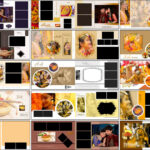
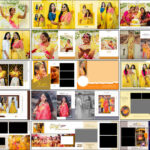
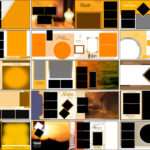
Looking for a photo collage template PSD for a child’s birthday? This free Kids Birthday Photo Collage PSD Template makes it easier to arrange your favorite pictures in a creative and memorable design. You can use this editable Photoshop template to create a birthday photo collage for your child, prepare a personalized gift, or keep special family memories together. Instead of creating the complete layout from scratch, simply download the PSD file and customize it with your own photographs. You can also explore our collection of free photo collage templates to find more designs for different occasions.

Kids Birthday Photo Collage PSD Template Free Download
A birthday is a special occasion, and photographs help preserve the memories of the celebration. With this photo collage PSD template, you can bring your favorite pictures together in one attractive layout. The heart-shaped design is also suitable for creating a personalized photo gift or a collage for a family celebration.
The PSD file contains editable layers, so you can customize the available design elements in Adobe Photoshop. Replace the sample pictures with your own photographs, adjust the available text and colors, and make the collage suitable for your project. You can also adapt the design for a wedding anniversary or another special occasion.
If you enjoy experimenting with different arrangements, browse our collection of 20 free photo collage PSD templates for more layout ideas.
Features of This Photo Collage Template PSD
- Creative heart-shaped layout: Arrange your favorite photographs in an attractive collage design.
- Editable Photoshop file: Customize the available layers to suit your requirements.
- Smart Object support: Replace the sample pictures through the available Smart Object layers.
- Personalized design: Adjust the available text, colors, backgrounds, and photo arrangement.
- Multiple uses: Create a birthday photo collage, anniversary design, greeting card, or personal photo gift.
- Free PSD download: Download the template and customize it for your creative project.
How to Customize the Birthday Photo Collage in Photoshop
You do not need to create every photo frame manually. Follow these steps to personalize the downloaded PSD template.
- Download the PSD file: Click the download button below and save the ZIP archive to your computer.
- Extract the files: Open the downloaded archive using WinRAR or another extraction tool. Enter the archive password if requested.
- Open the template: Launch Adobe Photoshop and open the PSD file.
- Add your photographs: Double-click the appropriate Smart Object thumbnail, place your picture in the opened document, and save the changes.
- Personalize the design: Edit the available text, colors, and other editable elements to suit the birthday celebration.
- Save your collage: Save the editable PSD file for future changes and export a separate image for sharing or printing.
For a better result, choose clear photographs that fit the available photo spaces. Check the final image before exporting to make sure the pictures and text look balanced.
Creative Ideas for Using a Birthday Photo Collage
A birthday photo collage can be used in several ways. You can combine favorite childhood pictures, family portraits, and birthday celebration photographs to create a memorable design. It can also be used as a personalized greeting, a photo gift, or a digital keepsake for your family.
You can use the same PSD layout for different occasions by replacing the pictures and adjusting the available text. If you need more inspiration, take a look at these 12 photo collage PSD template designs for additional layout options.
Download Free Kids Birthday Photo Collage PSD
Ready to create your own photo collage? Download the free PSD template using the button below. Open it in Adobe Photoshop, replace the sample pictures with your favorite photographs, and personalize the design for your birthday project.
WinRAR File Password: www.Luckystudio4u.com
Note:
If you’re facing issues with downloading the file such as "it may take up to 24 hours to be able to view or download the file" So please ensure you are logged into your Google account before attempting to download. This usually resolves the issue and allows you to download the file without any waiting time.