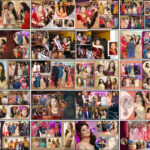
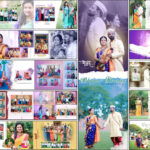
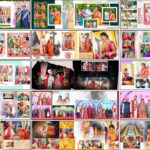
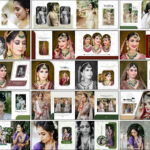
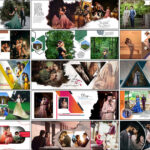
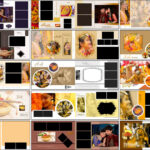
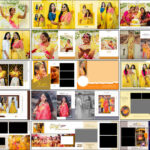
If you are looking for free photo collage PSD templates, this collection brings 20 designs together in one place. It includes heart-shaped collages, wedding and anniversary layouts, birthday designs, square photo grids, romantic collages, banner-style arrangements, and creative photo effects. We supply the templates as PSD files, with individual details listed below where provided. You can compare each preview, read its description, and use the matching DOWNLOAD NOW button to get the file. For even more options, visit our photo collage PSD template collection.
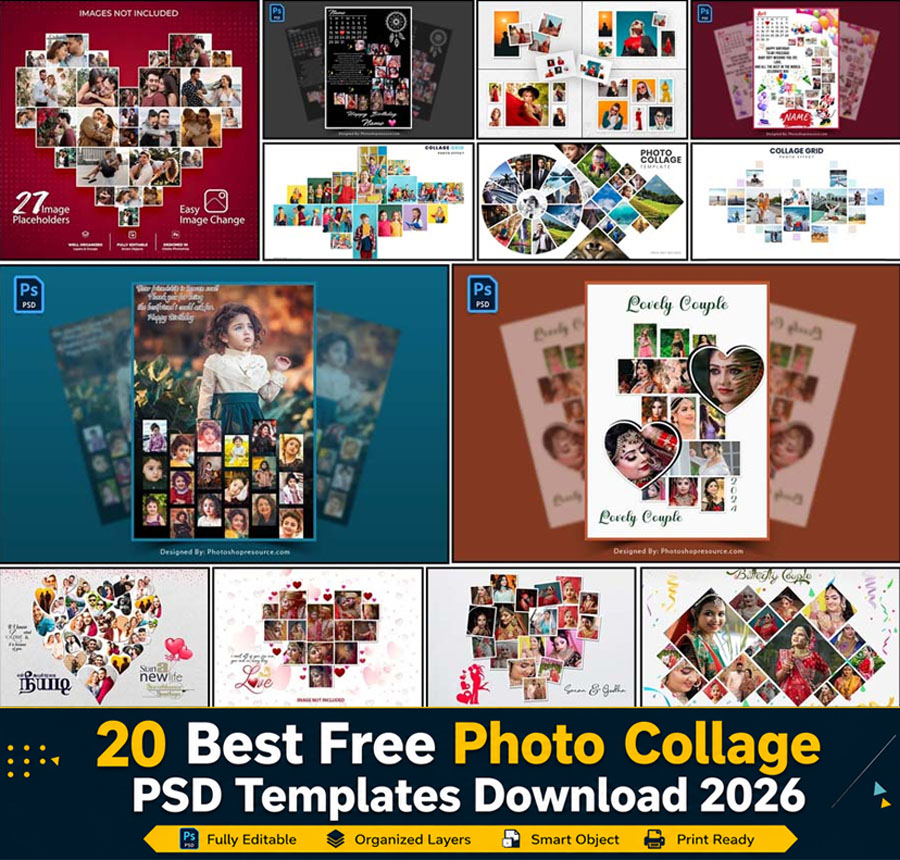
These photo collage Photoshop templates can help photographers, album designers, and hobbyists create a more organized layout without arranging every photo frame from scratch. The collection covers several styles, so you can choose a design based on the number of pictures, the occasion, and the look you want. Before printing, check the dimensions and colour settings of the individual PSD and confirm the required export settings with your print lab.
1. Beautiful Heart Shape Photo Collage Template PSD
This heart-shaped photo collage PSD template is made for layouts that highlight wedding, engagement, or anniversary photographs. The heart outline gives the design a romantic feel, while the layered PSD lets you work with the composition in Adobe Photoshop. It is a useful starting point for a couple’s album spread, a framed photo gift, or a page that brings several favorite moments together. You can also view the individual heart-shape photo collage PSD for more details about this design.

The design has photo spaces arranged inside the heart outline. Replace the sample images and adjust the available layers to fit your photographs and preferred look. You can keep the design simple or personalize the background and colours to suit the album. As with any layered collage PSD, save a working copy before making major edits so the original layout remains available.
Technical Details
- Maximum print size stated in the original listing: 12 × 18 inches
- Resolution stated in the listing: 300 DPI
- Format: Layered PSD file
- Editing software: Adobe Photoshop
- Suggested use: Wedding albums, anniversary collages, and romantic photo projects
2. Wedding Anniversary Photo Collage PSD Template
This wedding anniversary photo collage PSD gives you a dedicated layout for photographs from a couple’s special milestones. Use it to bring anniversary portraits and favorite memories into one page for an album, keepsake, or personal gift. The supplied PSD is editable in Photoshop, making it possible to replace the pictures and adjust the available design elements. If you are designing a larger wedding presentation, you may also find ideas in these wedding photo collage flyer templates.

Use the available layers to replace the sample photographs and personalize the composition for a silver anniversary, golden anniversary, or another meaningful date. You can also adjust the background and add a short message if the template includes suitable editable text layers. Preview the full design before exporting to make sure the photographs and any text remain clear.
Technical Details
- Maximum print size stated in the original listing: 12 × 18 inches
- Resolution stated in the listing: 300 DPI
- Format: Layered PSD file
- Editing software: Adobe Photoshop
- Suggested use: Wedding anniversary albums, keepsakes, and photo prints
3. Heart Love 31 Photo Collage 12×18 PSD Template
This 31-photo heart collage PSD is intended for designs that bring many memories into one romantic arrangement. The heart-shaped layout is suitable for wedding photos, engagement pictures, couple portraits, and anniversary gifts. Its listed 12 × 18-inch format can work well for an album page or a framed display, depending on the final output. If you would like another multi-photo concept, take a look at this wood-frame collage PSD designed around 21 photos.

The layered PSD lets you replace the photo placeholders and modify the available design elements in Photoshop. Choose images with a good mix of close-up portraits and event moments, while keeping faces visible in the smaller photo spaces. Once the photos are in place, review the collage at full size and save an editable copy before exporting the final version.
Technical Details
- Maximum print size stated in the original listing: 12 × 18 inches
- Resolution stated in the listing: 300 DPI
- Format: Fully layered PSD
- Editing software: Adobe Photoshop
- Photo capacity: 31 photos
- Suggested use: Wedding, engagement, and romantic gift collages
4. 16 Square Photo Collage PSD Template Free Download
This 16-square photo collage PSD uses a regular grid to give each picture a defined space. It is a practical option for family albums, travel memories, event highlights, or a coordinated set of social media images. A square-grid composition is especially useful when you want the photographs to share equal visual weight. For a similar layout with a different number of frames, compare this design with our free 15-square photo collage PSD templates.

The template is described as a layered PSD with Smart Objects. Replace the photo content in the appropriate layers and adjust the background or other available elements to match your project. You can use the layout for print or digital work, but prepare a separate export with the dimensions and file format required by your destination platform or print provider.
Technical Details
- Maximum print size stated in the original listing: 12 × 18 inches
- Resolution stated in the listing: 300 DPI
- Format: Layered PSD with Smart Objects
- Colour mode stated in the listing: RGB; check your print lab’s requirements before changing colour mode
- Suggested use: Album spreads, social posts, and scrapbooking layouts
5. Romantic Love Photo Collage 12×18 PSD Template
This romantic love photo collage PSD is suited to couple portraits, wedding memories, and anniversary album pages. Its balanced arrangement gives the photographs room to stand out while keeping the overall page cohesive. The layered file can be adapted to different photo selections, making it useful when building a matching set of romantic album pages. Designers working on wedding presentation materials may also explore these wedding photo PSD flyer templates for a different format.

Replace the image placeholders and adjust the available layers in Photoshop to suit the photographs you have selected. When creating a complete album, keep the colour treatment and image style consistent across neighbouring pages. The template can be used as a starting point for a romantic design, while the choice of photographs and final adjustments will give the page its personal feel.
Technical Details
- Maximum print size stated in the original listing: 12 × 18 inches
- Resolution stated in the listing: 300 DPI
- Format: Layered PSD with Smart Objects
- Colour mode stated in the listing: RGB; confirm output requirements with your print provider
- Suggested export formats in the original listing: TIFF for print workflows and JPEG for web use, subject to lab requirements
6. Photo Collage Template PSD for Birthday & Wedding Anniversary
This birthday and wedding anniversary photo collage PSD is a multipurpose option for combining event portraits and favourite memories. Its heart-shaped arrangement makes it suitable for a personal birthday keepsake, a couple’s anniversary page, or a photo gift. Replace the sample pictures and adjust the available text or colours to fit the occasion. For a birthday-focused design, you can also see this kids birthday photo collage PSD template.

The layered PSD and Smart Object placeholders are intended to make picture replacement more straightforward. Use photographs that suit the layout, then review the balance of the page before saving. The design can be used for a printed album spread or prepared for digital sharing with the correct export size.
Technical Details
- Maximum print size stated in the original listing: 12 × 18 inches
- Resolution stated in the listing: 300 DPI
- Format: Layered PSD with editable Smart Objects
- Suggested use: Birthday memories, wedding anniversaries, and family collages
7. Free 25 Photo Collage Banner PSD Template
This photo collage banner PSD template is designed to bring multiple images into one wide composition. It can be adapted for event highlights, photo displays, promotional artwork, or a banner-style album design. Before using it for a specific output, check the actual PSD dimensions and the number of photo placeholders. If you want to compare more collage styles before choosing a design, browse these 12 selected photo collage PSD templates.

Use the layered structure to replace the sample photos and adjust the editable elements in Photoshop. A banner layout can be useful when several images need to appear together, but the composition should remain easy to scan. Choose photos with consistent lighting where possible and avoid adding text that competes with the images.
Technical Details
- Maximum print size stated in the original listing: 18 × 24 inches
- Resolution stated in the listing: 300 DPI
- Format: Layered PSD with editable Smart Objects
- Colour mode stated in the listing: RGB; confirm requirements before preparing a print file
- Suggested use: Photo banners, event displays, and digital collage artwork
8. Happy Birthday Photo Collage PSD Template
This Happy Birthday photo collage PSD template is a good starting point for a birthday greeting, celebration recap, or personalized photo gift. Bring together portraits and favourite moments from the day, then customize the editable elements to suit the person being celebrated. To explore the birthday design on its own, visit our Happy Birthday photo collage PSD template page.

The template can be customized in Photoshop by replacing the sample photographs and editing the layers that are available in the file. You may use the finished design for a digital greeting, social media post, or printed birthday card. Check the text, crop, and picture positions before export so the important details remain visible.
Technical Details
- Maximum print size stated in the original listing: 12 × 18 inches
- Resolution stated in the listing: 300 DPI
- Format: Editable PSD with organized layers
- Suggested use: Birthday collages, digital greetings, and photo gifts
9. Free 16 Grid Photo Collage Editable PSD Template
This 16-grid photo collage PSD is designed for projects that need a tidy, structured photo layout. Use it to present family portraits, wedding pictures, event highlights, or a collection of travel memories. The grid keeps the pictures in a clear arrangement, while the editable PSD gives you room to personalize the available layers. You can compare it with our free modern editable photo collage PSD templates for more layout styles.

The supplied description identifies this as a layered PSD with Smart Objects. Replace the photos, adjust the background, and edit any available text or decorative layers to suit your project. This kind of grid is reusable: you can create another version later by changing the photographs and saving a new copy of the PSD.
Technical Details
- Size stated in the original listing: 12 × 18 inches
- Resolution stated in the listing: 300 DPI
- Format: Editable layered PSD with Smart Objects
- Colour mode stated in the listing: RGB; check print-provider instructions before conversion
- Layout: 16-photo grid with customizable background and text
10. Heart-Shaped Collage PSD Template for 18 Photos
This 18-photo heart-shaped collage PSD is made for presenting a larger collection of couple or family pictures within one heart-shaped composition. It may suit anniversary albums, engagement memories, and romantic photo gifts. The listed layout gives you a defined place for each picture, helping you combine several moments into one design without building every frame manually.

Use the layered file to replace the sample photos and customize the available design elements in Photoshop. Since the layout includes many photographs, select images that crop well into the placeholders and check that important faces are not cut off. The design can be adapted for print or digital use after checking its document dimensions and export settings.
Technical Details
- Layout: Heart shape with 18 photo spaces
- Resolution stated in the original listing: 300 DPI
- Format: Layered PSD with Smart Objects
- Size stated in the listing: 12 × 18 inches
- Suggested use: Wedding, anniversary, and couple photo collages
11. Love Customized Photo Collage PSD Template
This Love Customized Photo Collage PSD template offers another option for couple portraits, romantic album pages, and personalized gifts. Its warm theme can suit photos from an engagement, wedding, anniversary, or another meaningful moment. The layered PSD is intended for editing in Photoshop, so you can replace the sample photographs and adapt the available design elements to the images you want to use.

Replace the pictures in the appropriate Smart Object layers, then review the layout and any available text or background elements. Keep the photo treatment consistent so the collage feels like one design rather than a group of unrelated pictures. Save a separate copy when making changes for another project.
Technical Details
- Maximum print size stated in the original listing: 12 × 18 inches
- Resolution stated in the listing: 300 DPI
- Format: Layered PSD with Smart Objects
- Colour mode stated in the listing: RGB; check requirements before preparing print artwork
- Features listed: Masked frames, editable text layers, and optional torn-photo-effect overlays
12. 28 Photo Collage Cover PSD Template Free Download
This 28-photo collage cover PSD template is intended for wide photo presentations, including cover artwork, album layouts, and event highlights. It gives you a way to showcase several photographs together while keeping the overall composition organized. For projects that need a more flyer-focused design, browse these wedding photo PSD flyer templates for related wedding presentation ideas.

The layered structure can help you replace sample images and tailor the design to your project. Choose photographs that work well together in tone and subject, and avoid overcrowding the cover with extra text. Check the actual PSD canvas dimensions before preparing a file for a specific print size or digital platform.
Technical Details
- Maximum print size stated in the original listing: 16 × 9 inches
- Resolution stated in the listing: 300 DPI
- Format: Layered PSD with Smart Objects
- Colour mode stated in the listing: RGB; confirm any conversion requirements with the print provider
- Suggested use: Album covers, wedding highlights, and digital photo presentations
13. Heart-Shaped Photo Collage PSD Template
This heart-shaped photo collage PSD is another romantic layout for wedding albums, anniversaries, engagement photographs, and framed keepsakes. The heart silhouette gives the pictures a clear theme, while the customizable layers allow you to adapt the design to your selected photos. It is a useful alternative when you want a heart layout but prefer to compare more than one style.

Open the PSD in Photoshop and replace the photo placeholders with your chosen images. You can adjust the available background and text layers where supported by the file. For a clean finish, use pictures with clear subjects and review the crop in each frame before exporting the page for an album or photo display.
Technical Details
- Size stated in the original listing: 12 × 18 inches
- Resolution stated in the listing: 300 DPI
- Format: Layered PSD with Smart Objects
- Colour mode stated in the listing: RGB; follow your print lab’s workflow for print output
- Features listed: Heart-shaped collage layout, editable text, and customizable background
14. Photo Collage Effect PSD Template
This photo collage effect PSD template is aimed at designs where the visual treatment matters as much as the image arrangement. The original description highlights layered photo effects and montage-style composition, making it a possible starting point for creative portraits, album pages, or digital artwork. Because effect-based PSDs can use different layer setups, review the file and its included elements before planning a specific result.

Use the available layers to place your photos and experiment with the editable effect settings. If the file includes blending or overlay layers, adjust them carefully so the subject remains visible. Keep an original copy before editing, especially when a template has a complex layer structure.
Template Notes
- Format: Photo collage effect PSD template, as described in the original listing
- Editing software: Adobe Photoshop
- Suggested use: Creative portraits, montage artwork, and experimental album designs
- Before printing: Verify the actual document size, resolution, and colour settings in the downloaded file
15. Multipurpose Photo Collage Template PSD
This multipurpose photo collage PSD template is designed to give you a flexible starting point for projects such as birthdays, wedding memories, anniversaries, portfolios, and family collections. Rather than committing to one specific event, you can select photographs and adjust the editable parts of the template to suit your purpose. It can be useful when you want a general collage layout that you can adapt for more than one project.

Open the PSD in Photoshop and replace the sample pictures with your own. Adjust the available layers and other editable elements to establish a consistent look. Since the supplied listing does not state specific dimensions or resolution for this template, check those settings in the actual file before preparing a print-ready export.
Template Notes
- Format: PSD template
- Editing software: Adobe Photoshop
- Suggested use: General photo collages, event highlights, and album pages
- Before printing: Check document dimensions and resolution in Photoshop
16. Polygon Grid Photo Collage PSD Template
The polygon grid photo collage PSD template offers a geometric alternative to the usual rectangular photo grid. Its polygon-inspired arrangement can give a portfolio, album page, or social media graphic a more dynamic appearance. This type of layout is worth considering when you want the photos to feel connected while avoiding a standard square-grid look.

Use Photoshop to replace the sample images and modify the available layers or background elements. Select photographs with clear subjects that remain recognizable in the polygon-shaped spaces. Check the full-size design after editing so the crop and spacing look balanced. The original listing does not specify the exact canvas dimensions or DPI, so verify these details in the PSD before printing.
Template Notes
- Format: PSD template, as described in the original listing
- Editing software: Adobe Photoshop
- Layout: Polygon-style photo grid
- Suggested use: Creative album pages, portfolios, and digital collage designs
17. Premium-Look Collage Photo PSD Template
This collage photo PSD template has a refined presentation that can suit wedding albums, birthday highlights, portfolios, and other photo projects. Its polished appearance makes it a useful option when you want your images to feel more carefully arranged. The actual customisation options depend on the layers supplied in the downloaded PSD, so check the file before planning edits to text, backgrounds, or frame elements.

Open the template in Photoshop and replace the example images if the file contains editable photo layers. Review the overall balance before saving the finished composition. The preview and original listing identify this as a free download, but you should check the downloaded file’s actual canvas size and layer setup rather than assuming specifications that are not stated.
Template Notes
- Format: Photo collage PSD template
- Editing software: Adobe Photoshop
- Suggested use: Wedding albums, birthday designs, and portfolio layouts
- Before printing: Verify dimensions and resolution in the PSD
18. Photo Collage Double Exposure PSD Template
This double exposure photo collage PSD template is a creative option for portraits and designs that combine images into one artistic composition. It can be considered for cinematic-style visuals, expressive portrait artwork, or a more experimental album page. Unlike a basic grid collage, a double exposure design focuses on how images overlap and work together, so the final look depends on the photos you choose and the editable layers in the file.

Open the PSD in Photoshop and review the layer structure to see how the supplied effect is built. Replace the sample images and adjust the available elements carefully; photos with clear subjects and suitable contrast are often easier to combine. Save a copy before experimenting so you can return to the original setup if needed.
Template Notes
- Format: Double exposure photo collage PSD template
- Editing software: Adobe Photoshop
- Suggested use: Artistic portraits, posters, and creative photo compositions
- Before printing: Check the actual PSD dimensions, resolution, and colour settings
19. Editable Grid Photo Collage PSD Template
This editable grid photo collage PSD template is suited to projects that need a neat and balanced arrangement of pictures. The grid format can work for family collections, event recaps, portfolio pages, and social media visuals. It is a practical alternative to decorative collages when you want each photograph to remain distinct and easy to view.

Replace the images in the editable photo spaces and adapt any available background or text layers in Photoshop. The simple structure makes the template suitable for several types of pictures, but the final result will depend on the photos and spacing. Because the original listing does not give a specific canvas size or resolution, check the file properties before preparing a print export.
Template Notes
- Format: Editable grid photo collage PSD template
- Editing software: Adobe Photoshop
- Layout: Grid-style photo arrangement
- Suggested use: Family albums, event recaps, social graphics, and portfolios
20. Photo Frames PSD Set for Memorable Moments with Doodle Ornament
This photo frames PSD set with doodle ornaments gives your images a playful, handcrafted presentation. The decorative frame style can work for wedding photographs, birthdays, baby albums, family moments, and other personal projects where you want a warmer look than a simple grid. It is included here as an alternative to the more traditional photo collage layouts.

Use the available layers in Photoshop to place your photographs and customize the editable parts of the frame design. Choose images that suit the decorative style and keep important details clear within each frame. Check the downloaded PSD for its canvas dimensions and resolution before preparing a print-ready file.
Template Notes
- Format: Photo frames PSD set
- Editing software: Adobe Photoshop
- Design feature: Doodle-style decorative ornaments
- Suggested use: Wedding photos, birthdays, baby albums, and family keepsakes
How to Choose the Right Photo Collage PSD Template
Start with the purpose of your project. A heart-shaped collage suits romantic memories, while a square or grid layout is useful when you want each photo to have a clear, consistent space. Birthday and anniversary templates can help you create themed keepsakes, and a banner or cover design may be more suitable for a wide presentation. The number of pictures is also important: choose a layout with enough spaces for your photos without making the finished design feel crowded.
How to Edit a Photo Collage PSD in Photoshop
- Download and extract the file. Save the ZIP archive, then extract the PSD and any included help file. If the archive requests a password, use the one provided on the original download page.
- Open the PSD. Launch Adobe Photoshop and open the template file.
- Replace the sample photos. If the PSD uses Smart Objects, double-click the relevant thumbnail, add your photo to the opened document, save it, and return to the main design. Other templates may use a different layer setup, so follow any included instructions.
- Personalize editable elements. Change available text, backgrounds, or colours only where the PSD provides editable layers for them.
- Save an editable copy. Keep the PSD file so you can make future changes without rebuilding the layout.
- Export for the final use. Use suitable dimensions and a file format requested by your print lab or digital platform. Confirm print settings with the provider instead of assuming every lab needs the same colour mode or format.
Frequently Asked Questions
Are these photo collage PSD templates free to download?
This collection is presented as a list of free photo collage PSD templates. Use the individual DOWNLOAD NOW button below each design to open its supplied download destination. Check the destination if a link has changed or a file is no longer available.
Which software do I need to edit a PSD collage template?
The templates described as PSD files are intended for editing in Adobe Photoshop. Available features vary by template, so check whether the file uses Smart Objects, editable text, or a different layer structure.
Are all 20 templates the same size and resolution?
No. The original listing provides dimensions and resolution for some designs, but not all of them. Review the technical details under each template and confirm the actual canvas size and resolution in Photoshop before printing.
Can I use these collages for printing?
Several templates are listed as 300 DPI and include a stated maximum print size. For designs without confirmed specifications, check the downloaded PSD before printing. Your print lab may also have specific requirements for dimensions, colour settings, and export format.
Choose the photo collage PSD that best fits your photographs and the purpose of your project, then use the matching download button to get started. With a suitable layout and carefully selected images, you can create a birthday collage, wedding album page, anniversary keepsake, or creative photo presentation without having to build the whole arrangement from scratch.
Note:
If you’re facing issues with downloading the file such as "it may take up to 24 hours to be able to view or download the file" So please ensure you are logged into your Google account before attempting to download. This usually resolves the issue and allows you to download the file without any waiting time.