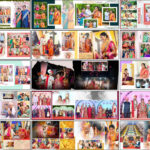
Looking for a Happy Birthday Photo Collage PSD Template to create a memorable birthday design? This free Photoshop template lets you bring your favorite pictures together in a creative heart-shaped layout. You can personalize it for a friend’s birthday, a family celebration, or a special birthday greeting. Instead of building the collage from scratch, start with this ready-made PSD file and customize the available elements in Photoshop. You can also explore our collection of free photo collage templates to discover more designs for your creative projects.

Happy Birthday Photo Collage PSD Template Free Download
A birthday photo collage is a simple way to turn favorite photographs into a personal gift or a memorable design. This heart-shaped photo collage template gives you a starting layout that you can adapt to suit the birthday theme. Add your own pictures, personalize the available text, and adjust the colors to create a design that feels special.
The editable PSD file is useful for people who want to create birthday greeting cards, digital invitations, social media graphics, or personal photo keepsakes. You can use the layout for different age groups and celebrations by choosing pictures and text that match the occasion.
Whether you are creating a collage for a friend, a family member, or your own birthday, this free birthday photo collage PSD can save the effort of arranging every element manually.
What Can You Customize in This Birthday Collage?
The template includes editable layers and Smart Object layers for working with photographs. These features help you replace sample pictures and personalize the design without having to recreate the entire layout.
- Photo arrangement: Replace the sample images with your favorite birthday photographs.
- Text and greetings: Edit the available text to suit the birthday message you want to create.
- Colors and backgrounds: Adjust the editable elements to match your preferred style.
- Heart-shaped design: Use the photo arrangement to create a personal birthday collage.
- Different creative projects: Adapt the design for birthday cards, digital greetings, invitations, and photo gifts.
- Free PSD file: Download the template and customize it in Adobe Photoshop.
How to Edit the Happy Birthday Photo Collage PSD
Follow these steps to replace the sample pictures and prepare your own birthday collage.
- Download the ZIP file: Click the download button below and save the archive to your computer.
- Extract the template: Open the ZIP archive using WinRAR or another extraction tool. Enter the file password if requested.
- Open the PSD in Photoshop: Launch Adobe Photoshop and open the extracted template file.
- Replace the photographs: Double-click the relevant Smart Object thumbnail. Add your picture in the opened document and save the changes.
- Personalize the layout: Adjust the available text, colors, and other editable elements according to your birthday theme.
- Save the finished design: Keep a PSD copy for future editing and export a separate image for sharing or printing.
For a better result, select clear photographs that fit the available spaces. Check the text and picture arrangement before exporting the final design.
Birthday Photo Collage Ideas for Different Occasions
You can adapt this photo collage for several birthday-related projects. For a friend’s birthday, use memorable pictures and a personal greeting. For a family celebration, combine favorite portraits to create a keepsake. You can also prepare a digital birthday greeting for sharing with friends and relatives.
The photographs you select will have a strong effect on the final appearance. Choose pictures that work well together and avoid adding too many design elements that make the collage difficult to view.
Looking for more layout choices? Explore our collection of 20 free photo collage PSD designs to compare different creative styles. You can also browse these 12 photo collage layouts for additional inspiration.
If you are searching for a different birthday-focused design, take a look at our Kids Birthday Photo Collage PSD template as well.
Download Free Happy Birthday Photo Collage PSD
Ready to create your own birthday collage? Download the free PSD template below and open it in Photoshop. Replace the sample photographs, customize the available design elements, and save your personalized birthday creation.
WinRAR File Password: www.Luckystudio4u.com
Note:
If you’re facing issues with downloading the file such as "it may take up to 24 hours to be able to view or download the file" So please ensure you are logged into your Google account before attempting to download. This usually resolves the issue and allows you to download the file without any waiting time.